4 May 2014

Apple logo creation in Adobe photoshop CS5.

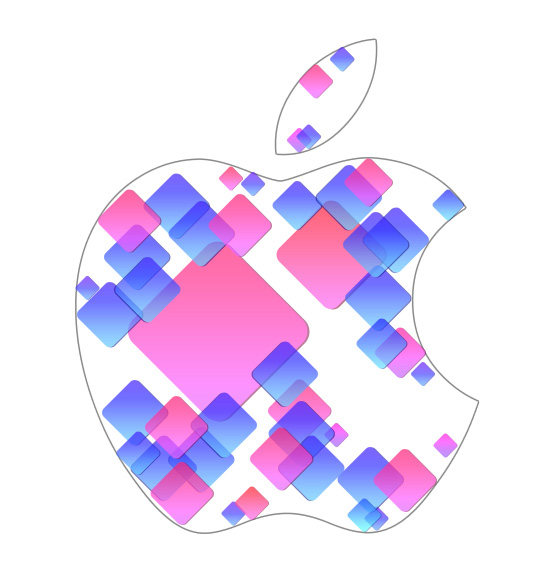
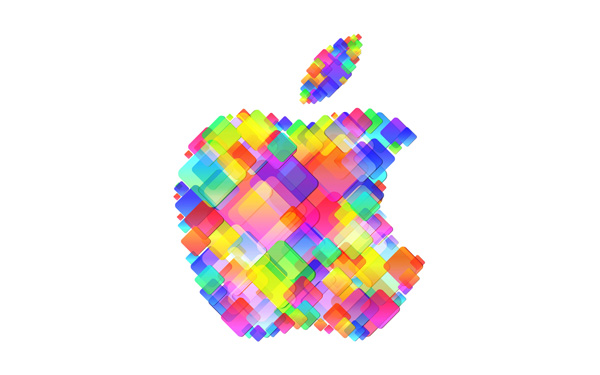
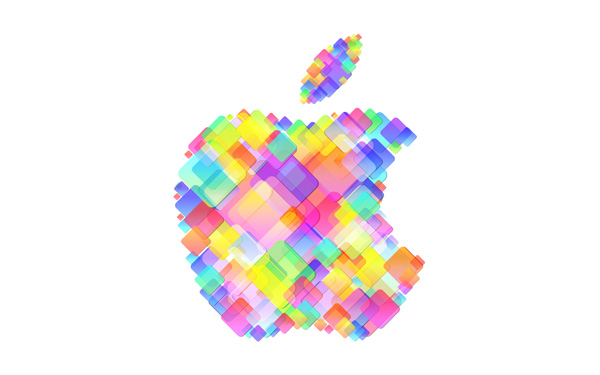
Today, I’m going to show you how use shapes and Layer styles in Photoshop CS5 to design a cool Apple WWDC logo. You will learn an idea to make a nice logo by following this and you will find not many technical skills will be involved. Layered PSD file included. Let’s get started!
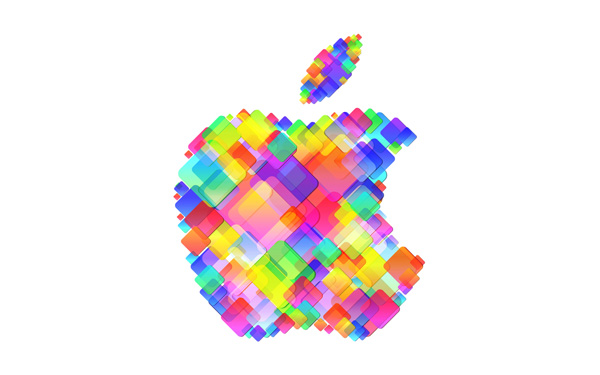
Final Image Preview


Start working by creating a new document (Ctrl+N) in Adobe Photoshop CS5 with the size 1920px by 1200px(RGB color mode) at a resolution of 72 pixels/inch. Use the Paint Bucket Tool (G) to fill with #120807 color the new background layer.
Find an Apple logo in .PNG format and place it on the main document, I used this file. If necessary, we may enlarge it, applying the Free Transform (Ctrl+T) command.

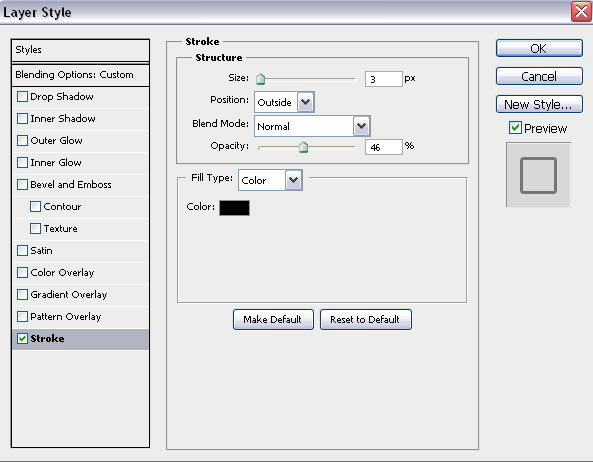
Set Fill to 0% for this layer and click on Add a layer style icon from bottom part of the Layers panel to selectStroke. Apply the next settings:

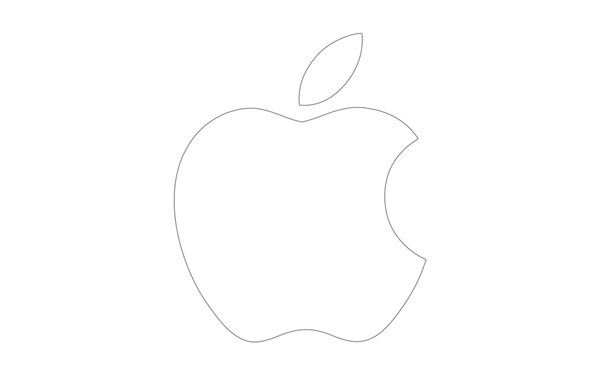
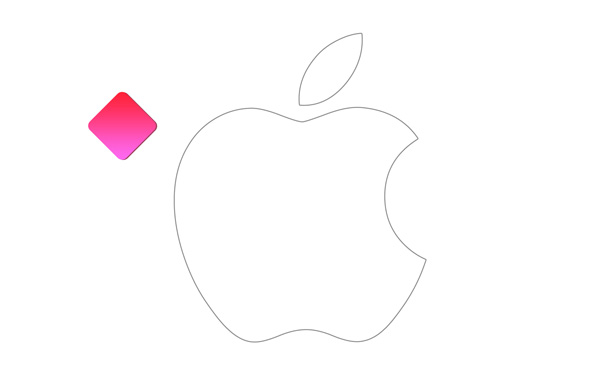
We’ve got the next result:
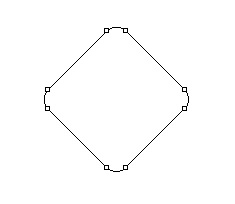
We’ve got the logo’s contour. Now we’ll add on it the next square. In this case choose the Rounded Rectangle Tool (U), set Radius to 15px in Options bar, hold Shift button and draw the next square as shown. Select after that the Free Transform (Ctrl+T) command and turn around the square on 45 degrees.

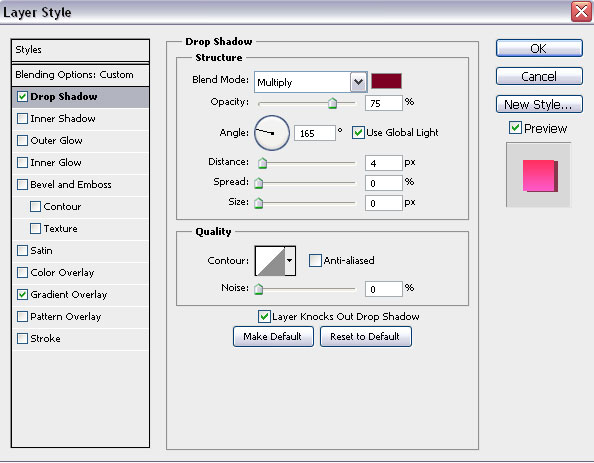
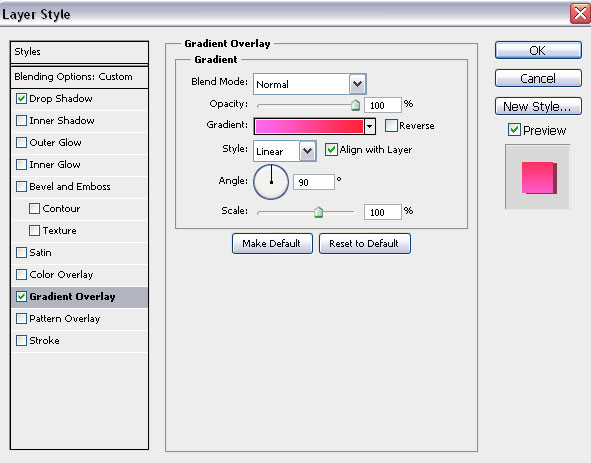
Set Fill to 0% for this layer and click on Add a layer style icon from bottom part of the Layers panel to selectDrop Shadow.

Apply Gradient Overlay:
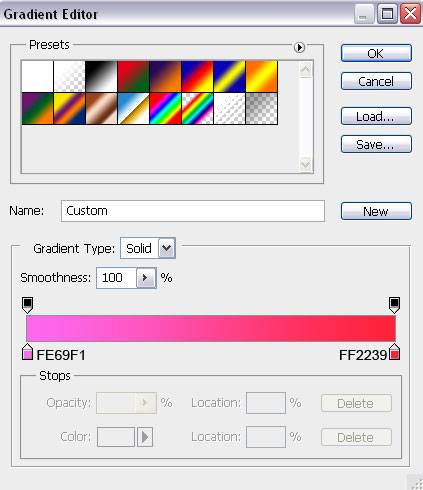
Click in the color bar to open the Gradient Editor and set the color stops as shown. Click OK to close theGradient Editor dialog box.
Set the Blending mode for this layer to Hard Light.

We’ve got the next result:

We have to rasterize the new layer by creating a new one above the layer containing our square, select both layers in Layers panel and press then CTRL+E to Merge Down. Using the Move Tool (V), we may situate the square inside the logo’s contour. When use Move Tool (V) hold Alt button and click on the square to make some copies. Change the copies’ sizes applying the Free Transform (Ctrl+T) command.
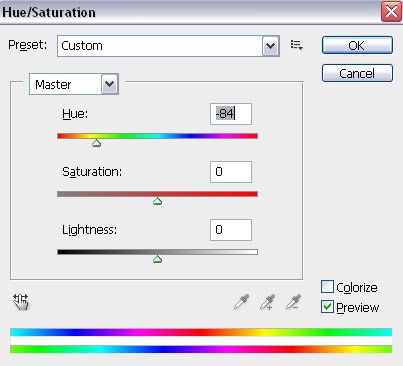
On the copies’ layers we’ll apply a different Fill values. Change also the square’s color. In this case make a copy of the square (choose the Move Tool (V) hold Alt button to displace the copy). Then press CTRL+U, in the dialog box of Hue/Saturation, drag the slider to the left to decrease the Hue of the color range.

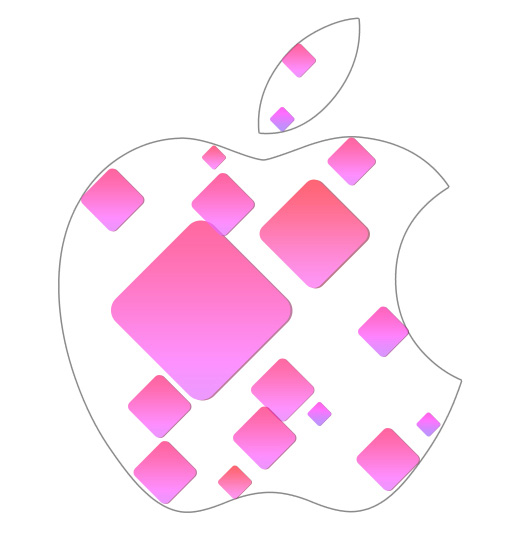
Make some copies of the square and place the copies as shown:
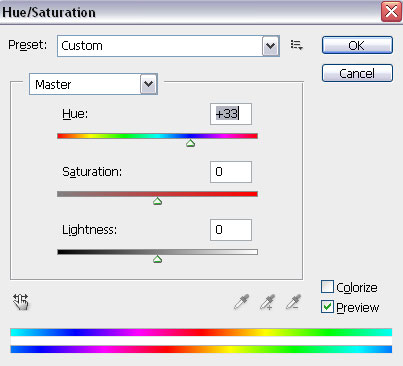
Continue representing the squares. Change the color again using Hue/Saturation command and multiply the copies the way described before.
We’ve got the next result:
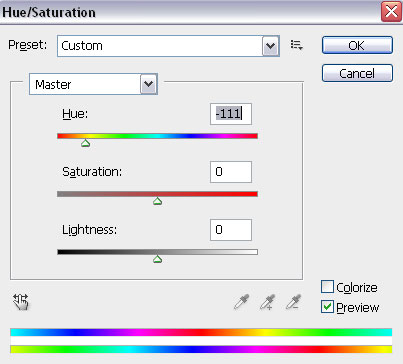
The layers containing the square we should place one by one. Then we should make again a copy of the very first layer (choose the Move Tool (V), hold Alt button to displace the copy). Change the color of the square usingCTRL+U (Hue/Saturation) command.
Multiply the copies the way described before.
On the central part of the logo, we’ll insert many other multicolored squares of a bigger size. Apply differentOpacity value on the layers and choose also different Blending mode like Overlay, Hard Light, Soft Light. Change the squares’ sizes, using the Free Transform (Ctrl+T) command.


Remove now the layer containing the logo’s contours.
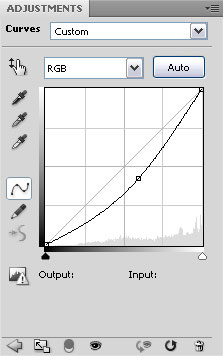
Click Create new fill or adjustment layer from bottom part of the Layers panel and click to Curves to adjust the curve shape as shown to make a little color corrections.

We’ve got the next result:


We’re done!

Download freeLayered PSD file.


11 Mar 2014

Google Open Doors to Its Top-Secret Data Center

   If you’re looking for the beating heart of the digital age — a physical location where the scope, grandeur, and geekiness of the kingdom of bits become manifest—you could do a lot worse than Lenoir, North Carolina. This rural city of 18,000 was once rife with furniture factories. Now it’s the home of a Google data center.

   Engineering prowess famously catapulted the 14-year-old search giant into its place as one of the world’s most successful, influential, and frighteningly powerful companies. Its constantly refined search algorithm changed the way we all access and even think about information. Its equally complex ad-auction platform is a perpetual money-minting machine. But other, less well-known engineering and strategic breakthroughs are arguably just as crucial to Google’s success: its ability to build, organize, and operate a huge network of servers and fiber-optic cables with an efficiency and speed that rocks physics on its heels. Google has spread its infrastructure across a global archipelago of massive buildings—a dozen or so information palaces in locales as diverse as Council Bluffs, Iowa; St. Ghislain, Belgium; and soon Hong Kong and Singapore—where an unspecified but huge number of machines process and deliver the continuing chronicle of human experience.


   This is what makes Google Google: its physical network, its thousands of fiber miles, and those many thousands of servers that, in aggregate, add up to the mother of all clouds. This multibillion-dollar infrastructure allows the company to index 20 billion web pages a day. To handle more than 3 billion daily search queries. To conduct millions of ad auctions in real time. To offer free email storage to 425 million Gmail users. To zip millions of YouTube videos to users every day. To deliver search results before the user has finished typing the query. In the near future, when Google releases the wearable computing platform called Glass, this infrastructure will power its visual search results.

   The problem for would-be bards attempting to sing of these data centers has been that, because Google sees its network as the ultimate competitive advantage, only critical employees have been permitted even a peek inside, a prohibition that has most certainly included bards. Until now.


    Here I am, in a huge white building in Lenoir, standing near a reinforced door with a party of Googlers, ready to become that rarest of species: an outsider who has been inside one of the company’s data centers and seen the legendary server floor, referred to simply as “the floor.” My visit is the latest evidence that Google is relaxing its black-box policy. My hosts include Joe Kava, who’s in charge of building and maintaining Google’s data centers, and his colleague Vitaly Gudanets, who populates the facilities with computers and makes sure they run smoothly.

       
   A sign outside the floor dictates that no one can enter without hearing protection, either salmon-colored earplugs that dispensers spit out like trail mix or panda-bear earmuffs like the ones worn by airline ground crews. (The noise is a high-pitched thrum from fans that control airflow.) We grab the plugs. Kava holds his hand up to a security scanner and opens the heavy door. Then we slip into a thunderdome of data …

Urs Hölzle had never stepped into a data center before he was hired by Sergey Brin and Larry Page. A hirsute, soft-spoken Swiss, Hölzle was on leave as a computer science professor at UC Santa Barbara in February 1999 when his new employers took him to the Exodus server facility in Santa Clara. Exodus was a colocation site, or colo, where multiple companies rent floor space. Google’s “cage” sat next to servers from eBay and other blue-chip Internet companies. But the search company’s array was the most densely packed and chaotic. Brin and Page were looking to upgrade the system, which often took a full 3.5 seconds to deliver search results and tended to crash on Mondays. They brought Hölzle on to help drive the effort.

It wouldn’t be easy. Exodus was “a huge mess,” Hölzle later recalled. And the cramped hodgepodge would soon be strained even more. Google was not only processing millions of queries every week but also stepping up the frequency with which it indexed the web, gathering every bit of online information and putting it into a searchable format. AdWords—the service that invited advertisers to bid for placement alongside search results relevant to their wares—involved computation-heavy processes that were just as demanding as search. Page had also become obsessed with speed, with delivering search results so quickly that it gave the illusion of mind reading, a trick that required even more servers and connections. And the faster Google delivered results, the more popular it became, creating an even greater burden. Meanwhile, the company was adding other applications, including a mail service that would require instant access to many petabytes of storage. Worse yet, the tech downturn that left many data centers underpopulated in the late ’90s was ending, and Google’s future leasing deals would become much more costly.